
Have you ever noticed that no matter how many times you clear your cluttered workspace, it always turns back into a disaster zone within a single week? The trick to a perfect home office setup is not simply hiding everything in a deep drawer where you can never find it again. It is about building a highly functional flow where the items you touch constantly are right at your fingertips, and the things you rarely need are completely out of sight. If you want to permanently transform your daily workspace, applying proven desk organization tips is the absolute key to maintaining long-term productivity and focus without constantly cleaning. A well-organized environment reduces daily stress and directly impacts your professional output.
Desk Organization Tips: Maximize Vertical Space in Your Home Office Setup
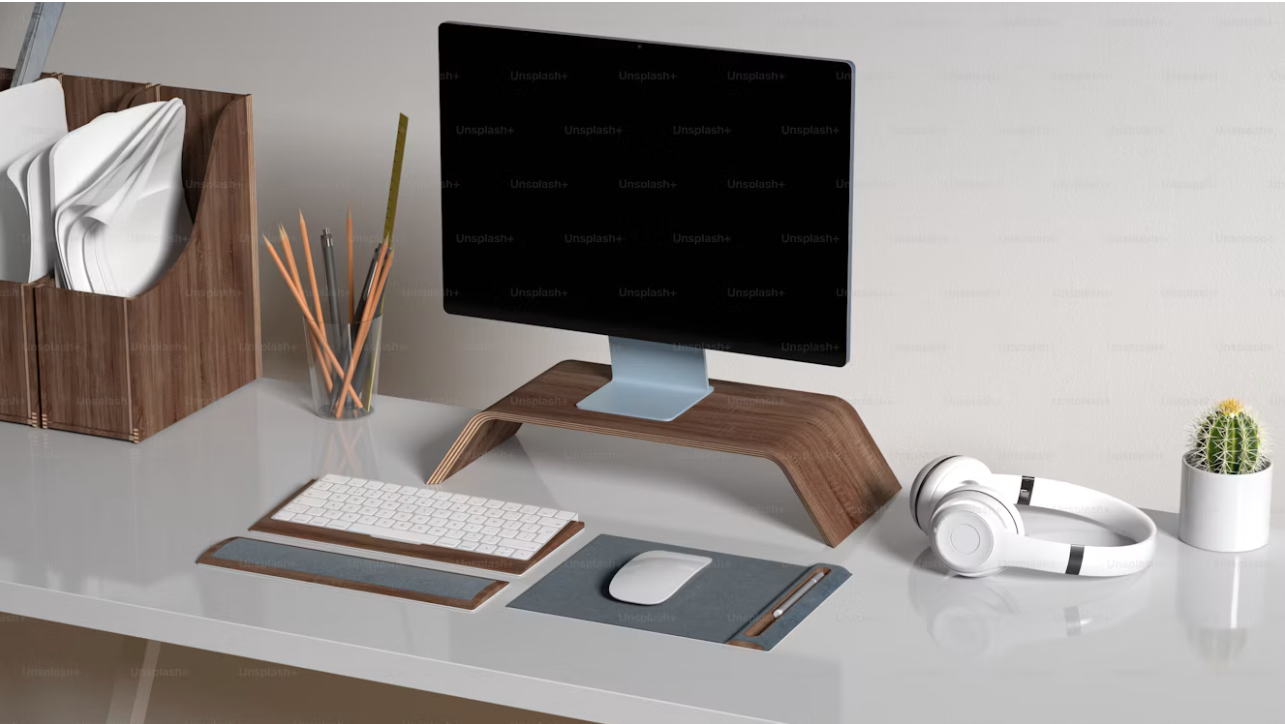
The easiest way to instantly double your available room is to go vertical. If your monitor or laptop is sitting directly on the flat wooden surface, you are wasting prime real estate that could be used for other essential daily tasks.
- Magnetic aluminum laptop stand or monitor arm: Elevating your screen creates a highly convenient storage space underneath to seamlessly slide your keyboard or stash your laptop when you are not actively typing.
- Vertical file holder: Do not let documents form flat, messy mountains on your desk. Standing your daily paperwork, A4 clipboards, and leather document holders straight up makes them instantly searchable and takes up a tiny fraction of the room.
Smart Cable Management Ideas for a Clean Workspace
Nothing makes a home office setup look worse than a tangled web of black wires. You do not need a complex IT background to implement effective cable management ideas that instantly upgrade your desk’s visual appeal.
- Adhesive cable clips: Stick these directly to the back edge of your table to securely hold your phone charger or USB cables so they never slide onto the floor again.
- Cable management box and hubs: For heavy power bricks and the main power strip, simply drop the surge protector inside a box, route the wires through the side slots, and the mess completely disappears. You can also integrate recessed desk connectivity hubs to keep data and power connections hidden but easily accessible.
Organize Small Items with Dedicated Compartments
Random paperclips, flash drives, and stray stationery are the absolute enemy of a clean, minimalist surface. Do not just throw them in a giant cup or a single deep drawer, because they will inevitably get lost when you are in a rush.
- Shallow drawer organizers: Use a shallow organizer tray featuring lots of small compartments to separate different categories of daily supplies.
- Dedicated stationery spots: Give every single item a dedicated, permanent spot. When you know exactly where your favorite metallic promotional ballpoint pens, high-quality gel pens, or watercolor markers live, you never have to waste mental energy thinking about where to put them back after a long meeting.
Workspace Ergonomics: Protect Your Active Zone
A highly effective home office setup fiercely protects your core working area from unnecessary clutter. Think of your desk in concentric rings. The center ring—the space directly between you and the computer screen—is sacred. Only your keyboard and mouse belong there. Do not let water bottles, heavy headphones, or thick file folders drift into this critical productivity zone. Keep them on the outer edges or hung securely on a dedicated hook beneath the table to ensure you always have enough room to work comfortably.
Prioritize Physical Posture Over Aesthetics
This is a massive organizational trap that many professionals fall into. Sometimes people organize things so they look perfectly symmetrical, but then they have to artificially twist their neck to see the screen or reach uncomfortably for the wireless mouse. According to ergonomic experts , your physical comfort always beats how the setup looks on a video call. Keep your upper body perfectly vertical, even if your ergonomic chair allows you to tilt the seat base slightly. The top of your screen needs to be exactly at eye level, and your elbows should rest easily at a 90-degree angle. Instead of using rigid charts, simply remember these core height guidelines based on your physical stature:
- If you are around 5 feet (152 cm) tall, aim for a desk height of 24 inches and a chair height of 15 inches.
- If you are average height, around 5 feet 5 inches (165 cm), your desk should be near 26 inches with a chair height of 16.5 inches.
- For taller individuals around 6 feet (183 cm), elevate your desk to 29 inches and your chair to 19 inches to prevent hunching over your keyboard.
- Always ensure your monitor is elevated roughly 16 to 24 inches above the desk surface, depending strictly on your specific eye level. Implementing these essential desk organization tips will completely revolutionize how you approach your daily tasks. By combining strategic vertical storage, clever cable management ideas, and a strict adherence to ergonomic principles, your home office setup will remain consistently clean and highly functional week after week. Stop letting a cluttered desk slow down your career progress and start optimizing your workspace today to achieve your absolute best work yet.